CHOOSING AN APP · 7 MIN READ
Choosing a Jigsaw Puzzle App Without Ads: What to Look For
Looking for a jigsaw puzzle app without ads? Check whether it has forced ads, optional reward ads or a paid ad-removal upgrade. Then check what you can play free, whether purchases recur and whether your device is supported. “Free to download” does not answer those questions.
A jigsaw puzzle should be an easy place to settle in. But a free download tells you very little about what happens once you start moving pieces.
1. Check what “free” actually includes
Look beyond the install button. How many puzzles can you keep playing without paying? Are useful tools included, or do you need a subscription to unlock them? Is the daily puzzle free too?
A paid app can be a good fit, and optional puzzle packs can be a straightforward way to buy more content. What matters is understanding the arrangement before you spend time building a collection.
Look for a clear distinction between included puzzles, extra packs and any recurring charges. If a store listing leaves that unclear, check the purchase information or ask the developer.
2. Find out where ads appear
“Free” and “without ads” are separate promises. If uninterrupted play matters to you, check for ads during a puzzle, between puzzles and when claiming a reward or using a tool.
If there is a paid ad-removal option, check what it removes and whether it is a one-time purchase. A short session with the app can tell you more about its interruptions than a promotional screenshot.
Also look for energy meters or waiting periods. Those are separate from advertising, but they can affect whether you can play for as long as you want.
A worked example: check the listing before you download
Here is how I would use this checklist with Puzzle Peace. The game is now available on Steam for Windows and macOS, and on the App Store for iPad, so you can try the free base game yourself.
- Start with availability. Open the Puzzle Peace Steam listing. Check the release status and system requirements for your computer. For iPad, use the App Store listing and check device compatibility.
- Write down what is included. The website FAQ lists a free Daily Puzzle, one free sample from each pack and all sorting tools. Full packs are optional purchases. This makes the distinction between trying a pack and owning the full pack explicit.
- Check the payment terms. Read the purchase information, then confirm the price and contents on the store before buying. “One-time purchase” describes how you pay; it does not tell you the price. Do not assume a purchase transfers between stores.
- Try the free game. Start a puzzle, use a sorting tool and finish a session. Check for interruptions and confirm that progress resumes. Screenshots and clips can show the controls, but trying the game is the best way to check that it suits you.
For another app, use the same sequence. If its store page says only “remove ads”, find out whether that also removes optional reward ads. If the answer or renewal terms are unclear, ask its developer before paying.
3. Try the sorting tools
Part of the pleasure of a jigsaw is searching for a piece. Sometimes, though, you just want to work on the border or a patch of blue sky. Good tools let you decide how much searching suits your mood.
- Edges: can you gather the border pieces?
- Colour or detail: can you narrow the pile to the area you want to work on?
- Shape: can you look for pieces with a matching cut?
- Trays: can you keep groups organised without crowding the board?
You may enjoy solving without assistance. The useful question is whether these tools are there when you want them—and whether they cost extra.
4. Test the controls on your device
A puzzle can look lovely and still feel awkward to handle. Try moving individual pieces, panning across the table and zooming in. Can you see the cuts clearly? Does the interface leave enough room for the puzzle?
Check that the app supports the device you actually want to use. Phone, tablet and computer controls can feel quite different. Do not assume a game listed for one platform is available on another.
For larger puzzles, zoom and a tidy workspace become particularly useful. Check the available piece counts too: some apps let you choose a size, while others assign a fixed size to each scene.
5. Think about how you like to return
A daily puzzle can give you a small ritual. A permanent collection gives you something to choose from whenever you feel like it. You might want either—or both.
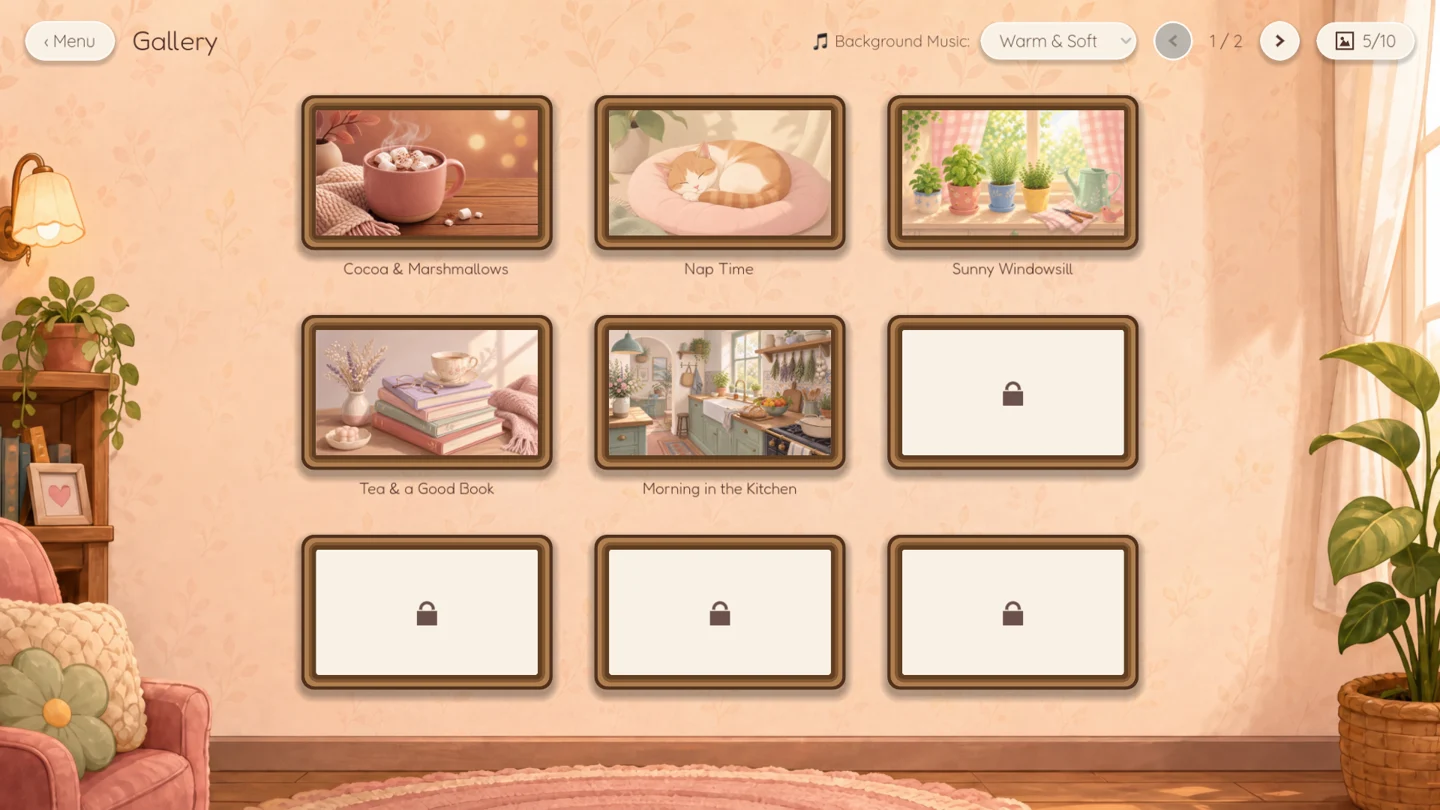
Check whether your progress is saved when you close the app. If you like a quiet experience, see whether timed challenges and leaderboards are optional. Look at several puzzle images, rather than just the store cover, to decide whether the artwork is something you will enjoy spending time with.
Your quick comparison checklist
- How many puzzles are included free?
- Do ads appear during play, between puzzles or to unlock tools?
- Are there subscriptions, energy meters or waiting periods?
- Which sorting and organisation tools are included?
- Does it support your device and feel comfortable to control?
- Are the piece counts right for you, and is progress saved?
- Do you like the artwork and how new puzzles are offered?
Puzzle Peace at a glance
| Availability | Available now for Windows and macOS on Steam, and for iPad on the App Store. |
|---|---|
| Included free | A Daily Puzzle, one sample from each of the three packs, and every sorting tool. |
| Optional purchases | Cozy Classics, Cozy Critters and Forest Hollow, each with 20 puzzles. One-time pack purchases or the Complete Collection bundle; check the relevant store for current prices. |
| Interruptions | No ads, energy meters or subscriptions. |
| Puzzle sizes | 40–1,296 pieces; choose the size before starting. |
| Tools and progress | Smart Sort, Matching Shapes, trays, zoom, and saved progress. |
How Puzzle Peace approaches it
I built Puzzle Peace around a comfortable puzzle break: a free Daily Puzzle, a free sample puzzle in every pack and all sorting tools in the free base game. There are no ads, energy meters or subscriptions. Cozy Classics, Cozy Critters and Forest Hollow are optional themed packs, each bought once.
Puzzles range from 40 to 1,296 pieces, and you choose the size before you start. You can zoom, organise pieces in trays and return to saved progress. The game is available now for Windows and macOS on Steam, and for iPad on the App Store.
For transparency, the artwork, music and sound effects are AI-assisted. I guide the creative process, refine and review the results, and select the assets used in the game. Nothing is generated by AI during gameplay.
If that sounds like your kind of puzzle break, see Puzzle Peace in action or download the free game below.